
Add shapes in Adobe Captivate version 13.3

You may also like

The Most Controversial Ancient Philosophy: Epicureanism
August 12, 2026

Podcasts For Learning: A Guide For Instructional Designers
August 11, 2026

Top 7 Easy to Use LMS for 2026
August 10, 2026
Hi,
first let me say, “Adobe Captivate 13.3” ?! That’s new to me, I think the most recent version is still 13.1, or am I wrong?
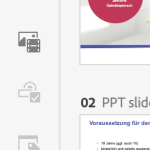
However. Adding shapes is only available if you import a Powerpoint file or a Captivate Classic file (as long as it is not a former responsive project with Fluid Boxes). Then you get an “Add Shapes” menu item in the media menu on the left. I’ll try to add an image to illustrate.
You can add and use shapes on slides as long as they are either Powerpoint slides (marked with a red P) or Classic Captivate slides (marked with green CpC). But on this kind of slides the menu items for Interactive components, Branding blocks and Widgets are not working.
On regular All New Captivate slides you have to use the weirdly unusable Add media blocks/SVG option and create your SVG-shapes outside of Cp.
Attachment